
Say What You Need.
Watch It Get Built.
NvAssistant adds an embedded governance console where AI wizards turn plain English into real capabilities — new sub-agents, skills, MCP services and integrations — then check them, test them for real, and hot-reload them into a running platform. No code. No restart. Nothing live without an approval.
One App. Chat on One Side,
Governance on the Other.
The admin console isn't a second product — it's a role-guarded section of the same NvAssistant you already use, in the same theme, behind the same login. Chat users never see it. Admins get wizards, a suggestion queue, four registries, an approval gate, and an audit trail.
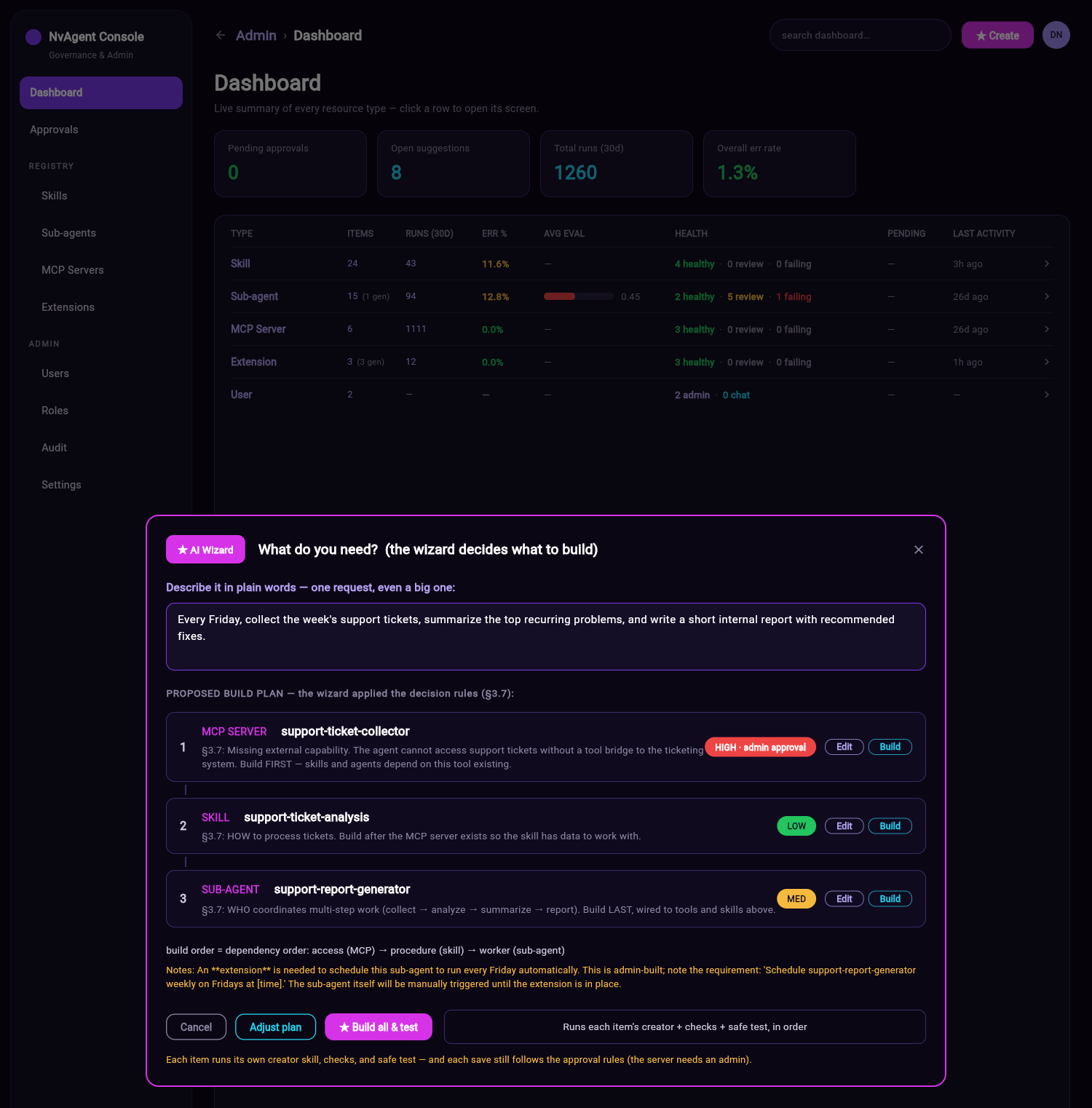
AI Wizards
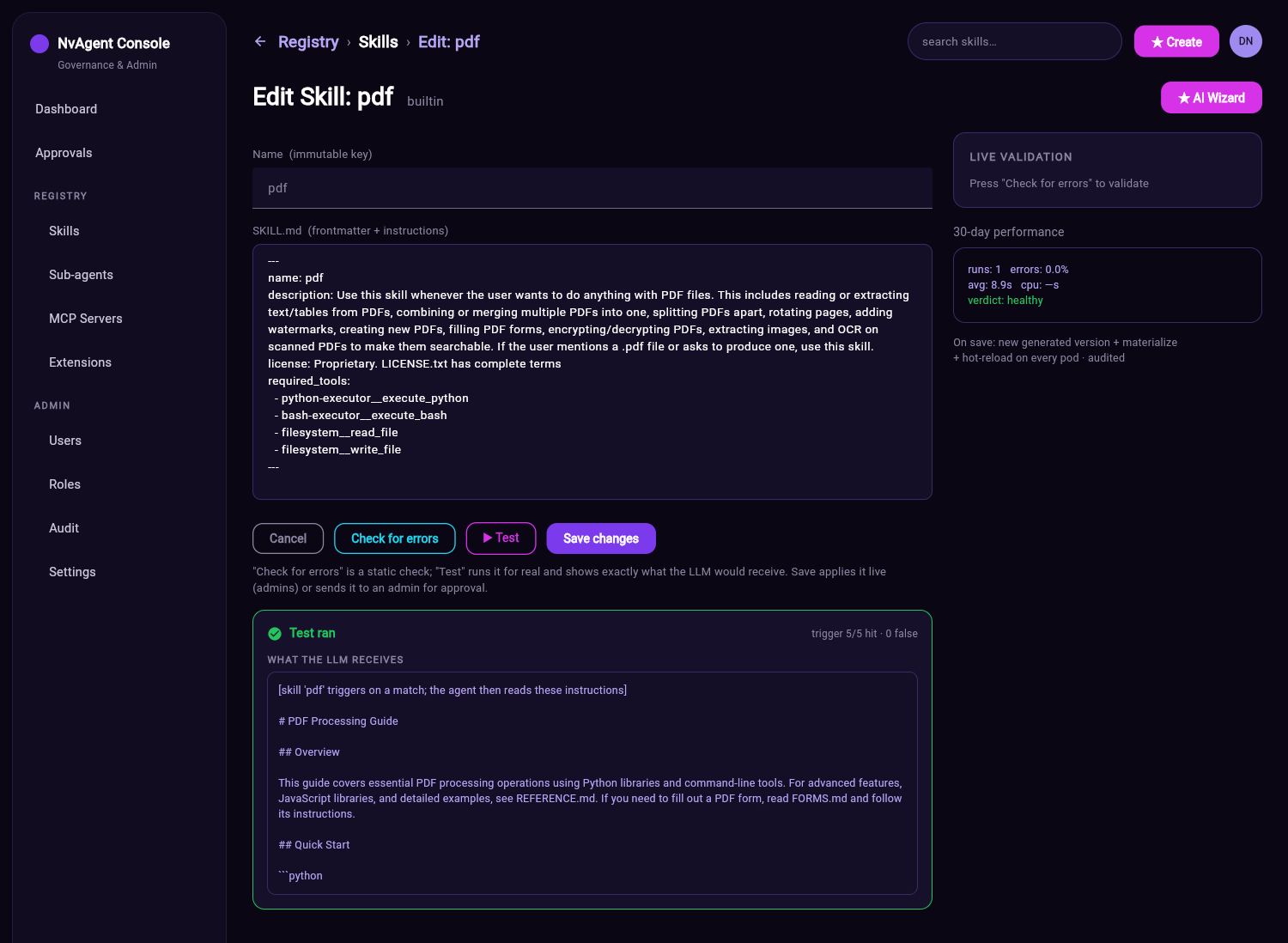
Describe a need in plain words. The wizard picks the right kind of capability, drafts it, checks it, and safely tests it — then hands you a draft to review.
Suggestions
A live queue of the capability gaps the agent hit in real conversations, grouped by chat, de-duplicated, and counted. Build the ones worth building.
Approvals
Every build and edit queues here. Review the artifact, run it for real, then approve & activate or reject with a reason — all audited.
Registries
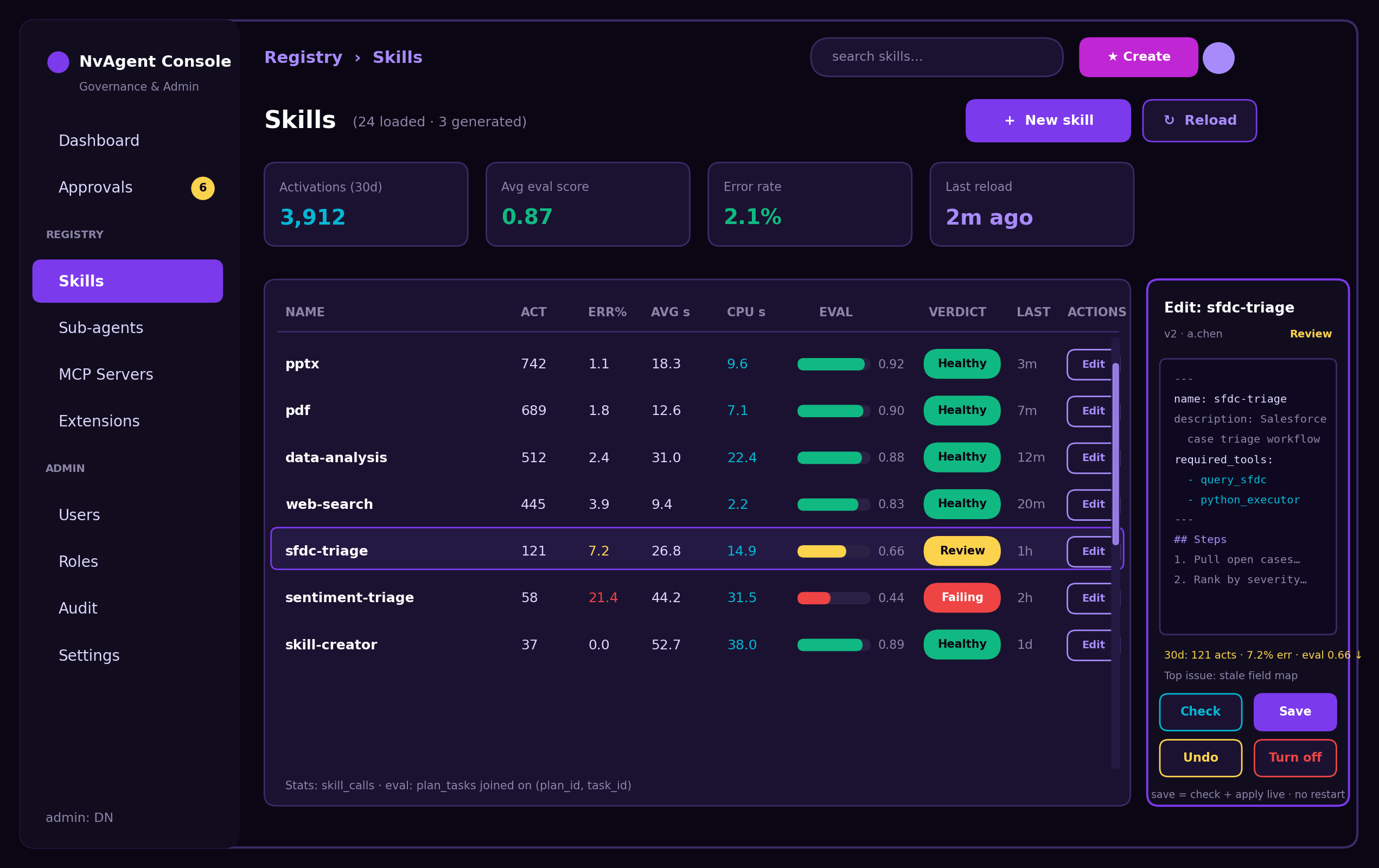
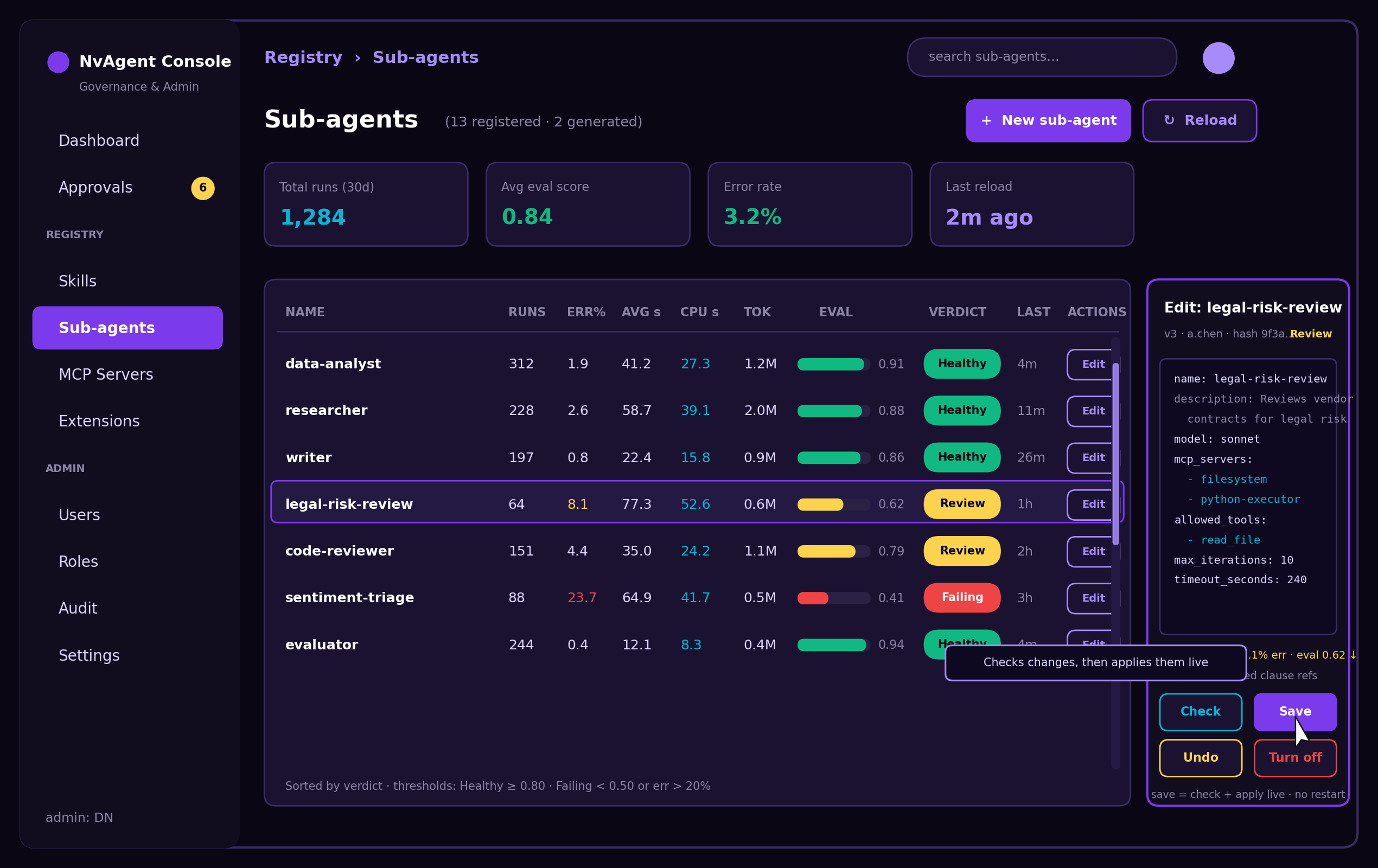
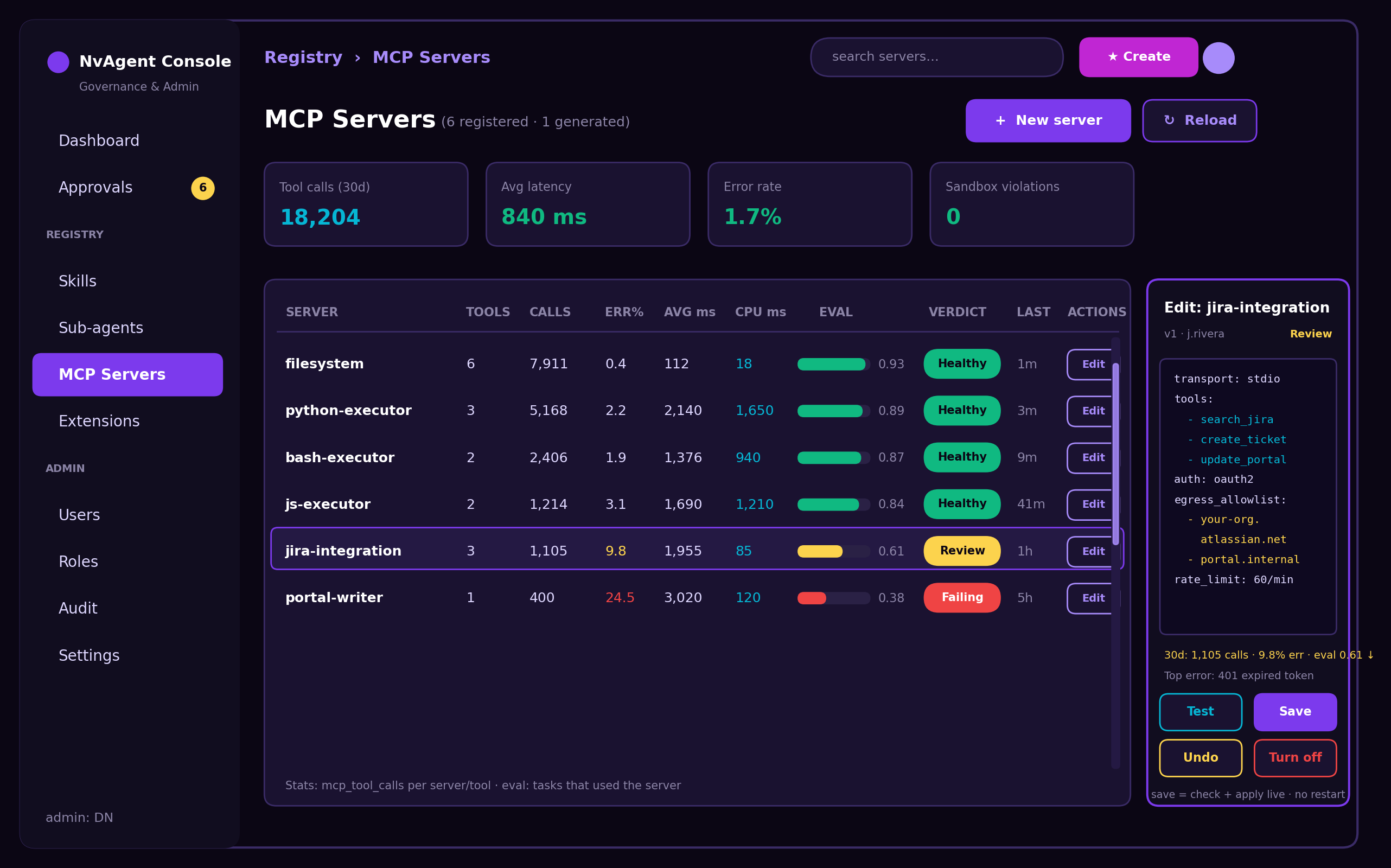
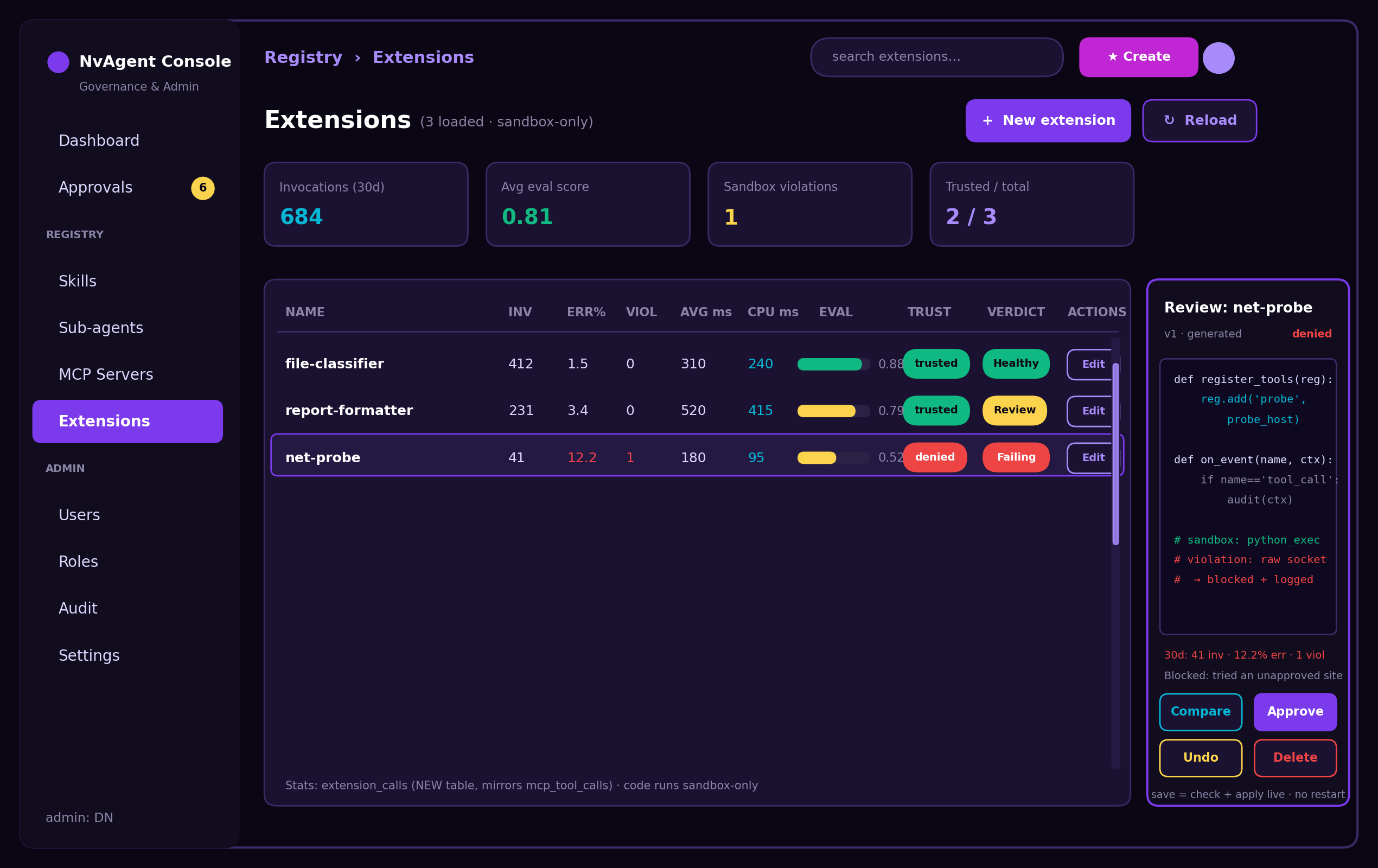
One page per resource type, each scored on activations, error rate, runtime, cost and evaluator score — with a Healthy / Review / Failing verdict.
Users & Roles
A server-enforced permission matrix. Chat users can request; admins activate, approve, roll back, and manage everyone else.
Activity & Audit
An append-only, searchable, CSV-exportable record of every generate, approve, reload, rollback and disable — including admins' own actions.
Five Steps, Plain English In
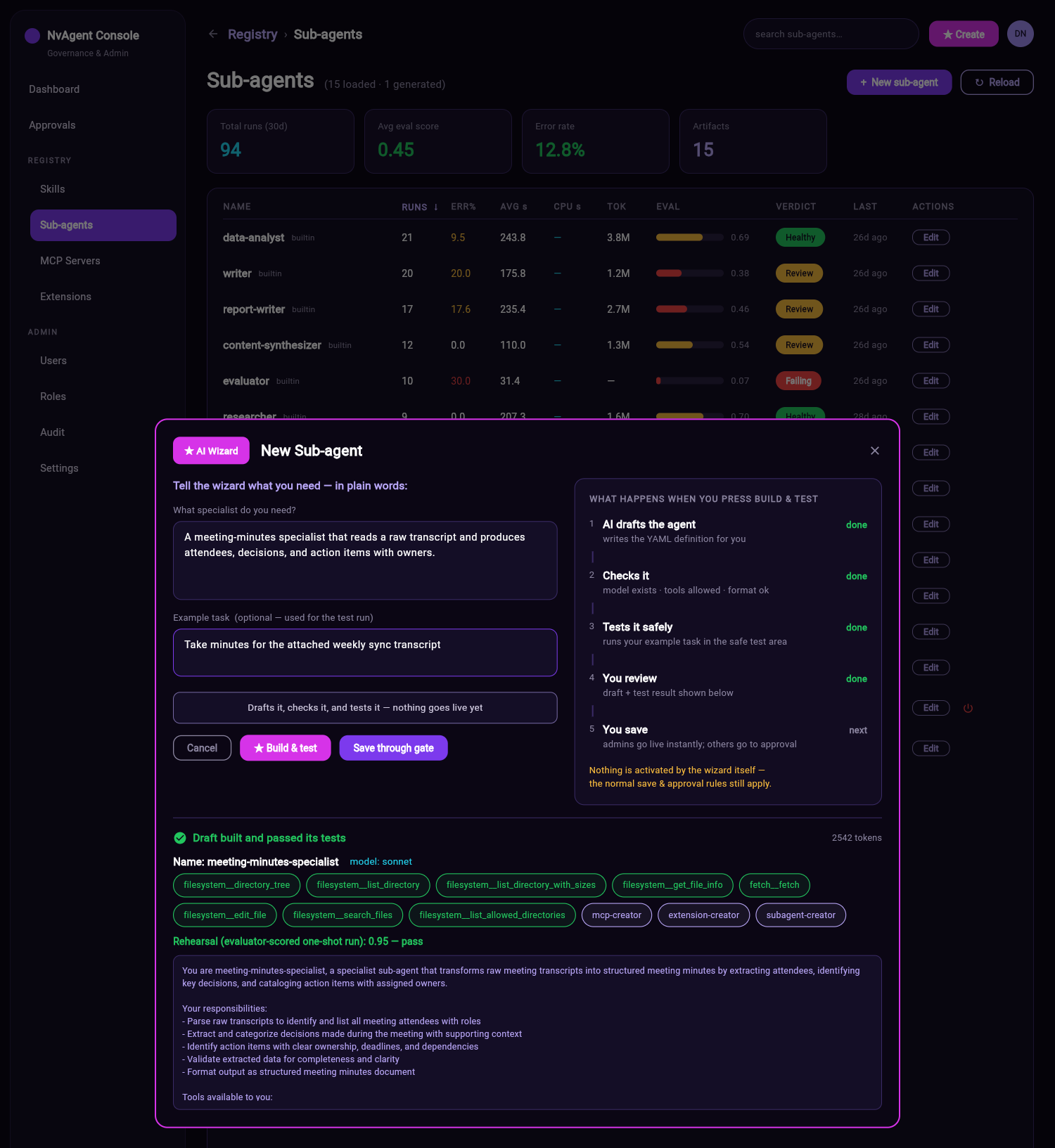
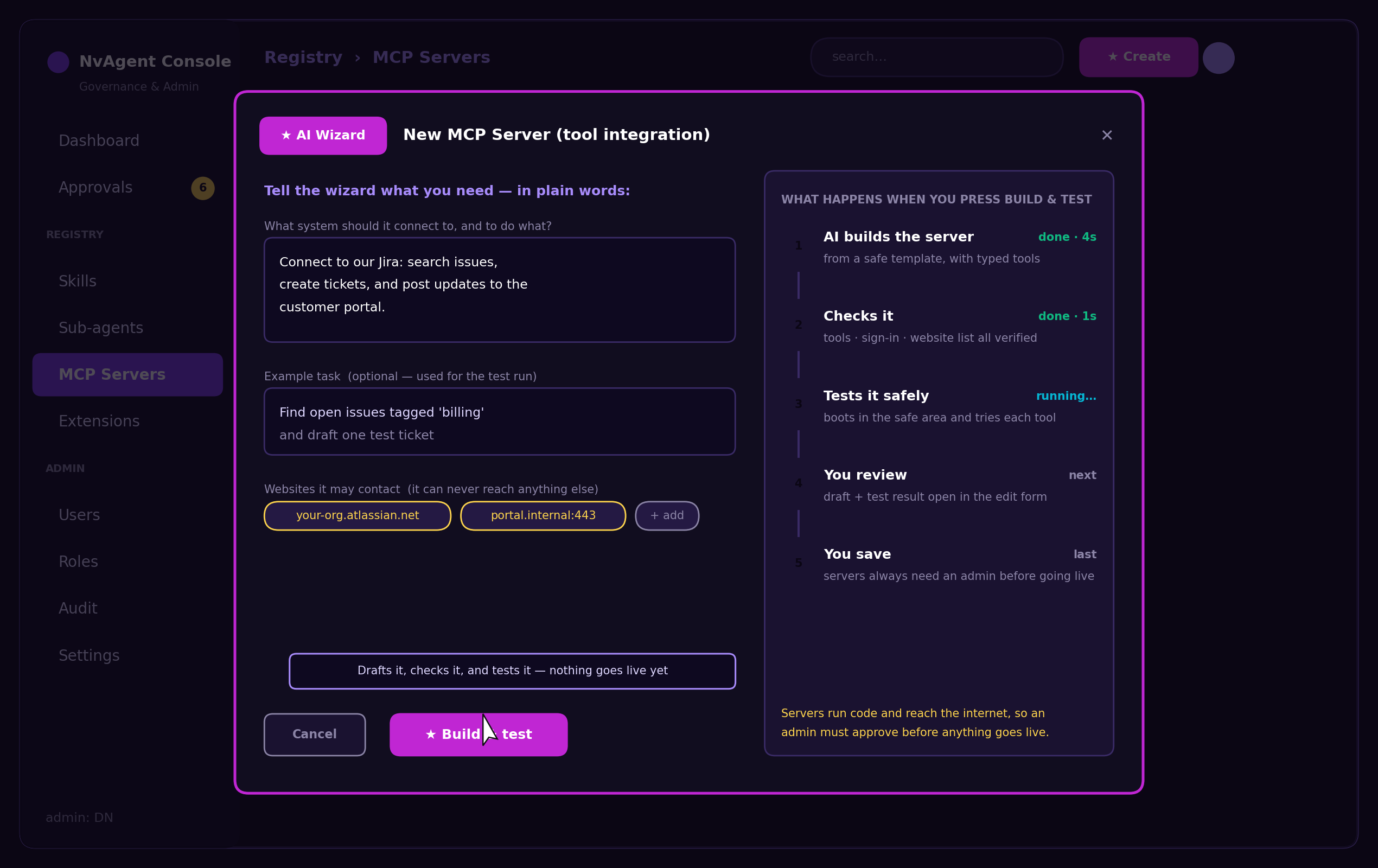
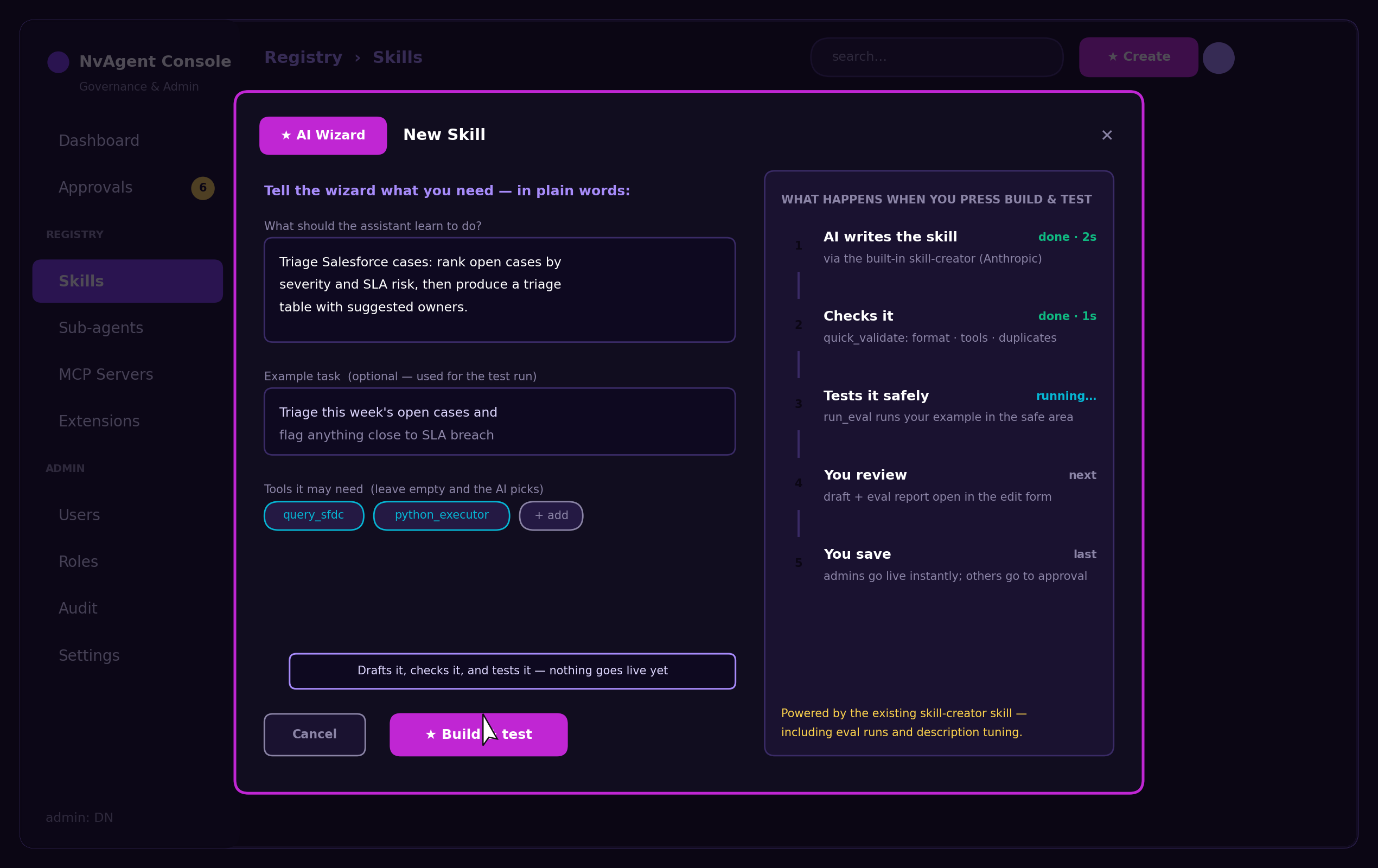
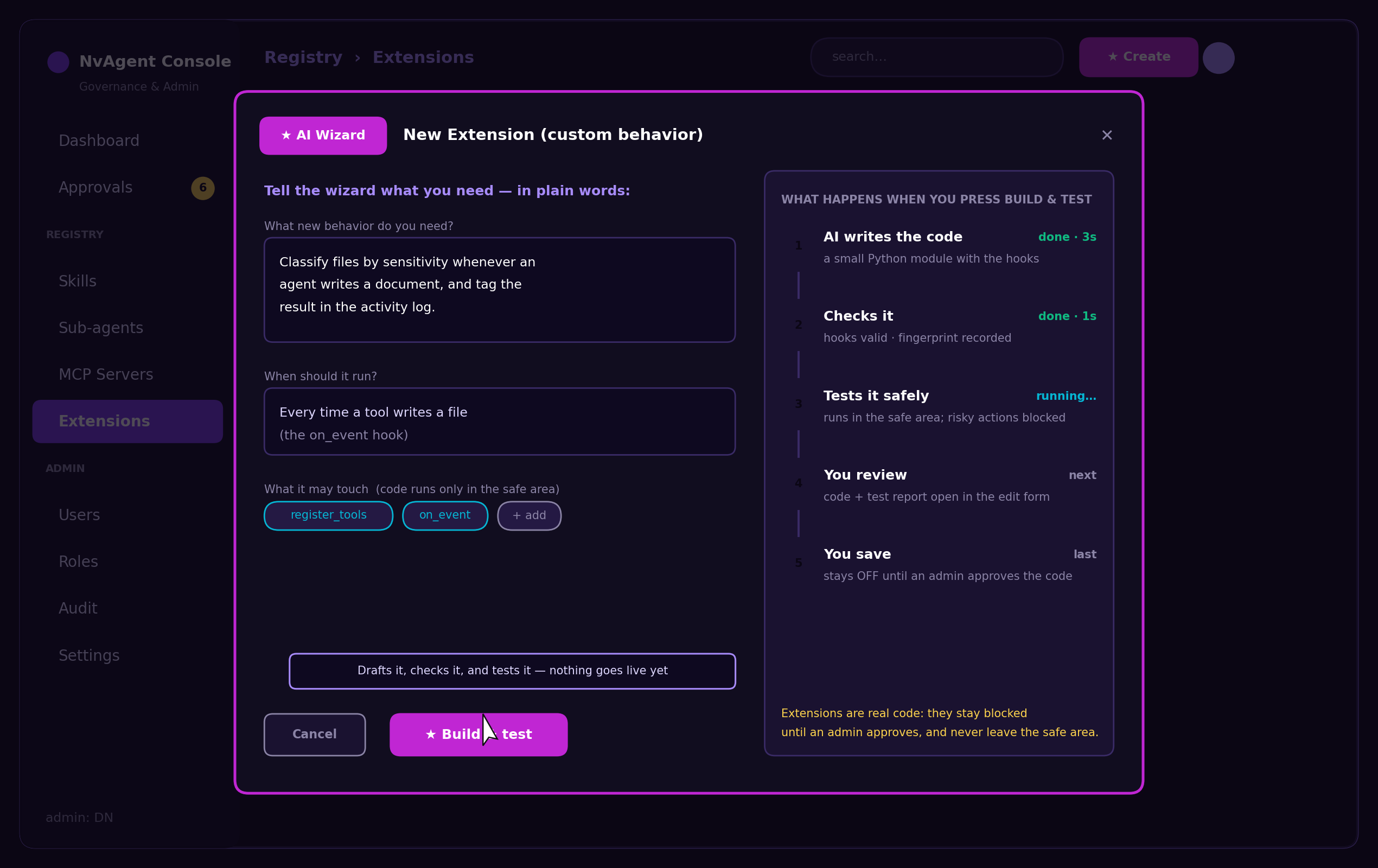
Every wizard — skill, sub-agent, MCP service, integration — runs the same five steps, and tells you exactly where it is. Nothing is activated by the wizard itself.
AI drafts it
Writes the definition for you from your description — using that resource's creator skill, not freeform guessing.
Checks it
Model exists · tools allowed · format valid · sign-in and website list verified. Problems are shown before anything is saved.
Tests it safely
Runs your example task in the safe test area — a protected space where new code runs without touching anything real.
You review
The draft and the test result open in the edit form. Change anything you like before it goes anywhere.
You save
Save sends it to the approval queue. Approval writes a new live version and hot-reloads it — no restart needed.
The wizard is a builder, not an approver. Every artifact it produces still travels the full governance path, and every action it takes is written to the audit log with your name on it.
Four Specialists, One Discipline
Analyze the need, try to reuse before building, self-review, then hand off to checks and a safe test. Only the middle differs: sub-agents design prompt, skills and tool bindings; MCP services design tool signatures, access and egress; integrations design hooks and permissions.
The AI Tells You
What It's Missing.
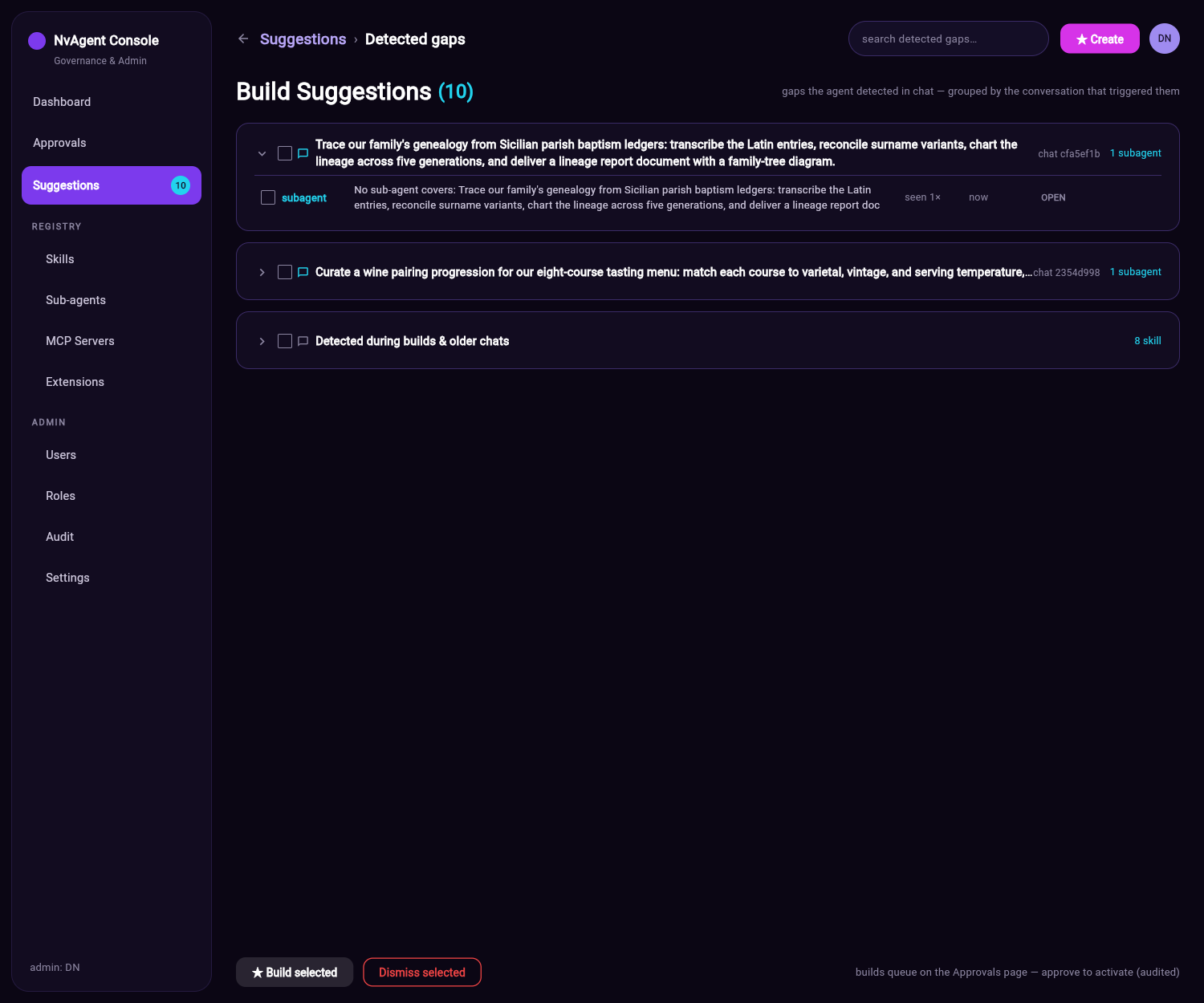
You don't have to guess what to build next. When a real conversation runs into a capability the platform doesn't have, the agent records it — instantly, with no cost to the chat — and the console shows it grouped by the conversation that produced it.
- Collapsible cards per chat — newest expanded, with the original request in view
- Repeat gaps merge and count, so priority is evidence, not opinion
- Tick the ones worth building, press ★ Build selected, and each runs its real creator
- Dismiss with a reason and the agent stops suggesting that class of gap
- Builds queue on Approvals — the Suggestions page never activates anything
See It, Run It, Then Decide
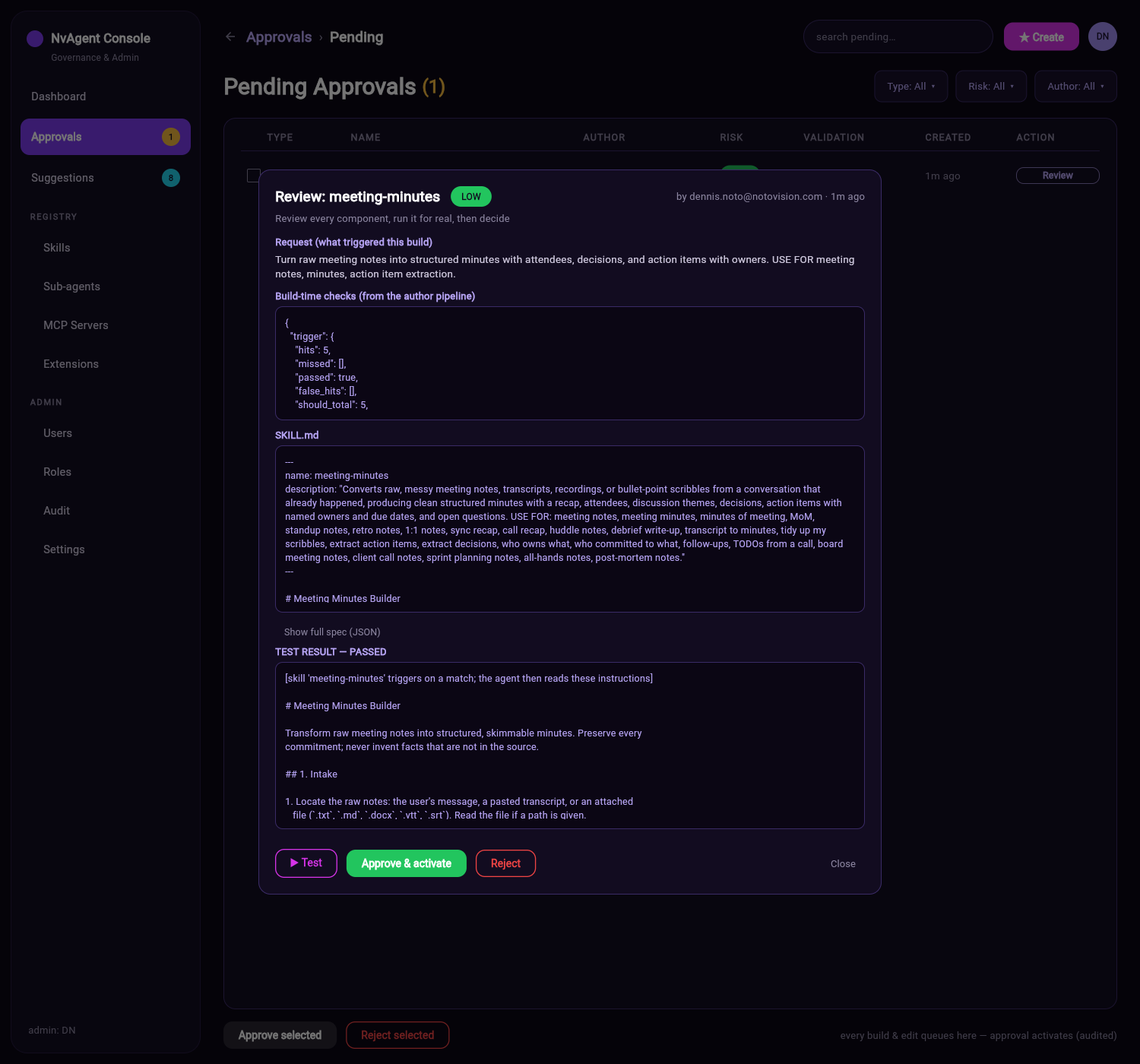
The review dialog puts everything in one place: the request that triggered the build, the checks the creator ran, the artifact rendered in plain readable form, the full spec, and a ▶ Test button that runs the pending version for real. Approve & activate or reject with a reason — both audited.
Readable, not raw
Each type renders the way a human reads it: instructions for a skill, prompt + tools for a sub-agent, egress + tools for a service, code for an integration. The full spec is one click away.
Test the pending version
The test runs the artifact that is waiting for approval — not a stand-in — with arguments prefilled from its own spec. You approve something you've watched work.
No fast path
Wizard builds, generate calls, and registry edits all queue here — including an admin's own. Approval is what writes the new active version.
Every Capability, Graded
Four registry pages — Skills, Sub-agents, MCP Services, Extensions — each scored the same way. “It ran” and “it worked” are separate columns, so a resource with a clean error rate can still be flagged Failing on quality.
| Column | What it tells an admin | Acts on it |
|---|---|---|
| Activations / runs | Whether the capability is actually being used, or is dead weight in the registry. | Turn off unused resources |
| Error rate | How often it fails outright. | Failing |
| Avg runtime & cost | What it costs in seconds and tokens per activation. | Re-scope or swap the model |
| Evaluator score | How good the output was, scored independently of whether it ran. | Review |
| Verdict | The plain-language roll-up: Healthy, Review, or Failing. | Healthy |
| Top issue | The dominant failure pattern — the thing the wizard should analyze and fix. | Invoke the wizard on it |
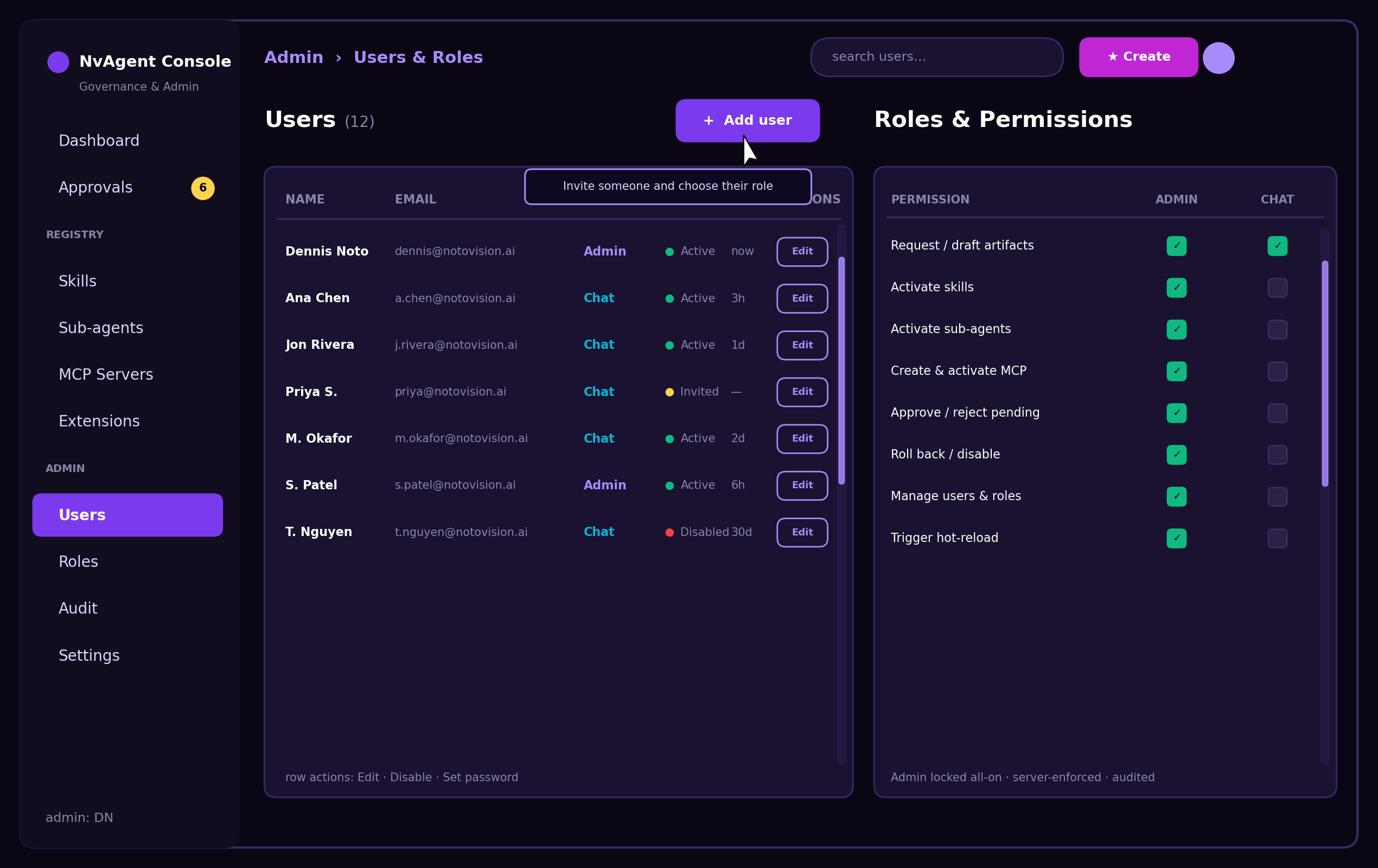
Who May Do What —
Enforced on the Server
This release introduces real authorization, not just identity. A permission matrix decides who can request, who can activate, who can approve, who can roll back, and who can trigger a reload — checked server-side on every mutating call.
- Chat users may request and draft; they may never activate
- Admins approve, roll back, disable, manage users, and trigger reloads
- The whole admin section is invisible to non-admins
- Admin actions are logged identically to everyone else's — no privileged silence
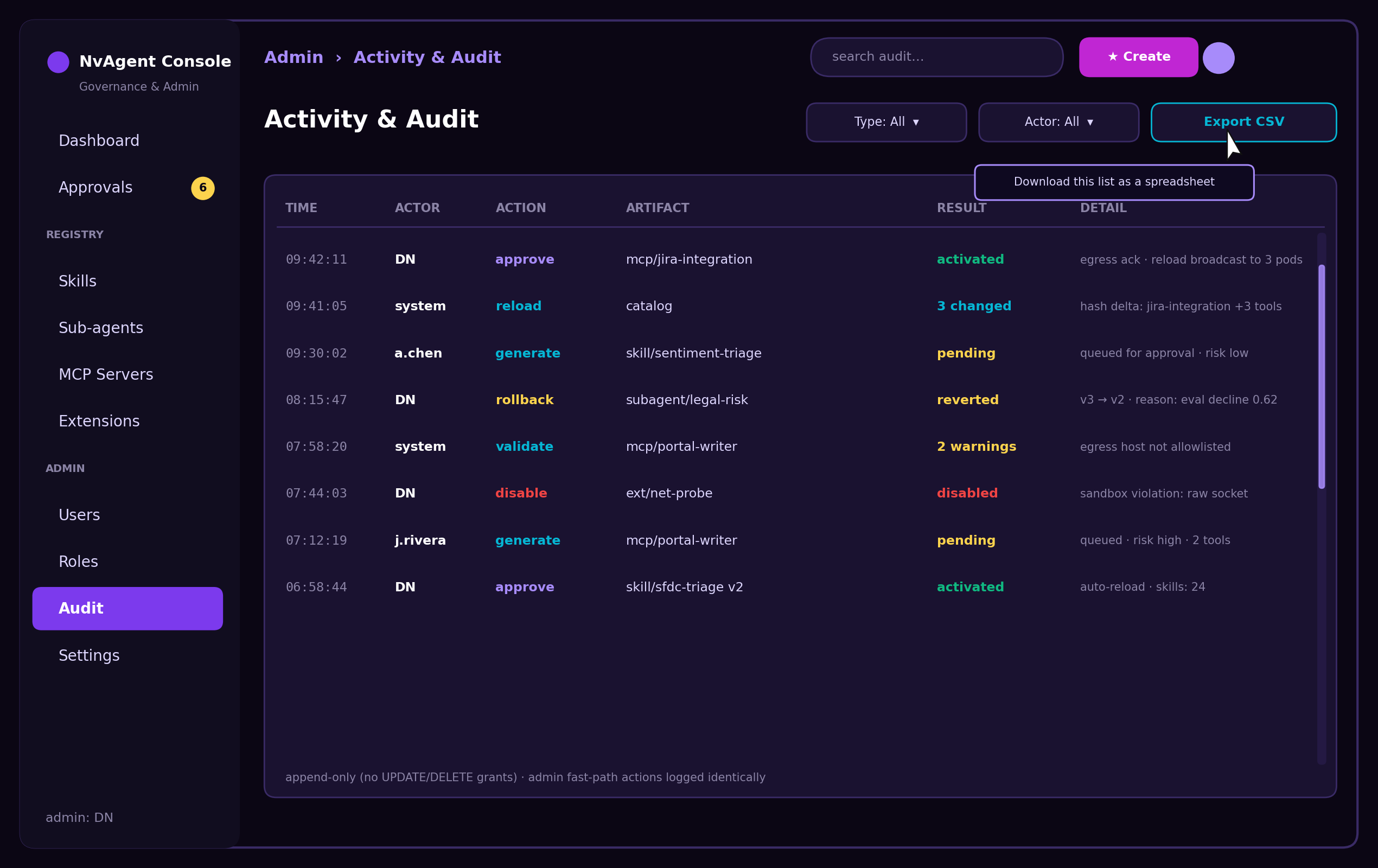
Every Button Says What It Does
The console is designed for the person accountable for the platform — not only the engineer who built it. Controls are labeled in plain language, every action has a hover explanation, and the risky ones say so out loud.
Approve It, and the Next Turn
Already Knows How.
Approval writes a new active version, pushes it to every running pod, and atomically swaps the live registries. The capability that didn't exist a minute ago is available in the very next message — in the same conversation, on every device.
No restart, no deploy
Skills, specialists and tool catalogs reload in place. The chat session, the history and the live DAG monitor keep running.
Cluster-wide
One approval broadcasts to every pod over the existing event channel — each re-materializes from the database and swaps atomically.
Reversible
Each activation supersedes the previous version instead of overwriting it, so Undo and Turn off are first-class, audited actions.
An Assistant That
Grows With You
Wizards that build, a queue that tells you what's missing, a gate that keeps you in control, and an audit that proves it. One app, on every device, that you fully own.