
Everything the
Assistant Can Do.
Streaming chat, a live window into the agent's reasoning, true hands-free voice, a native execution-graph monitor, durable history, files in & out, and pluggable model routing — all from one Flutter app on every device.
See the Answer — and
the Thinking Behind It
A single WebSocket streams the whole turn as it happens. The reply renders token-by-token, while a live thinking channel shows reasoning, tool calls, skill activations, and the orchestrator / sub-agent milestones of a multi-agent turn.
- Token-streamed markdown answers — no polling
- Reasoning buffered; repeats collapse into a tidy × N
- Set verbosity live with /display 0 | 1 | 2
Tap the Mic.
Just Talk.
An on-device Silero neural VAD detects when you start and stop speaking and sends only the clip to Whisper for transcription; the reply is spoken back with Kokoro TTS. It runs on native and web — no server-side VAD, no raw-audio streaming.
- Continuous mode keeps the mic live across turns, hands-free
- The mic mutes while the reply plays, then re-opens — never hears itself
- Barge-in stops playback; /sound
sets spoken sentences - A personalized welcome greets you by name — shown and spoken
Watch the Agent Work in Real Time
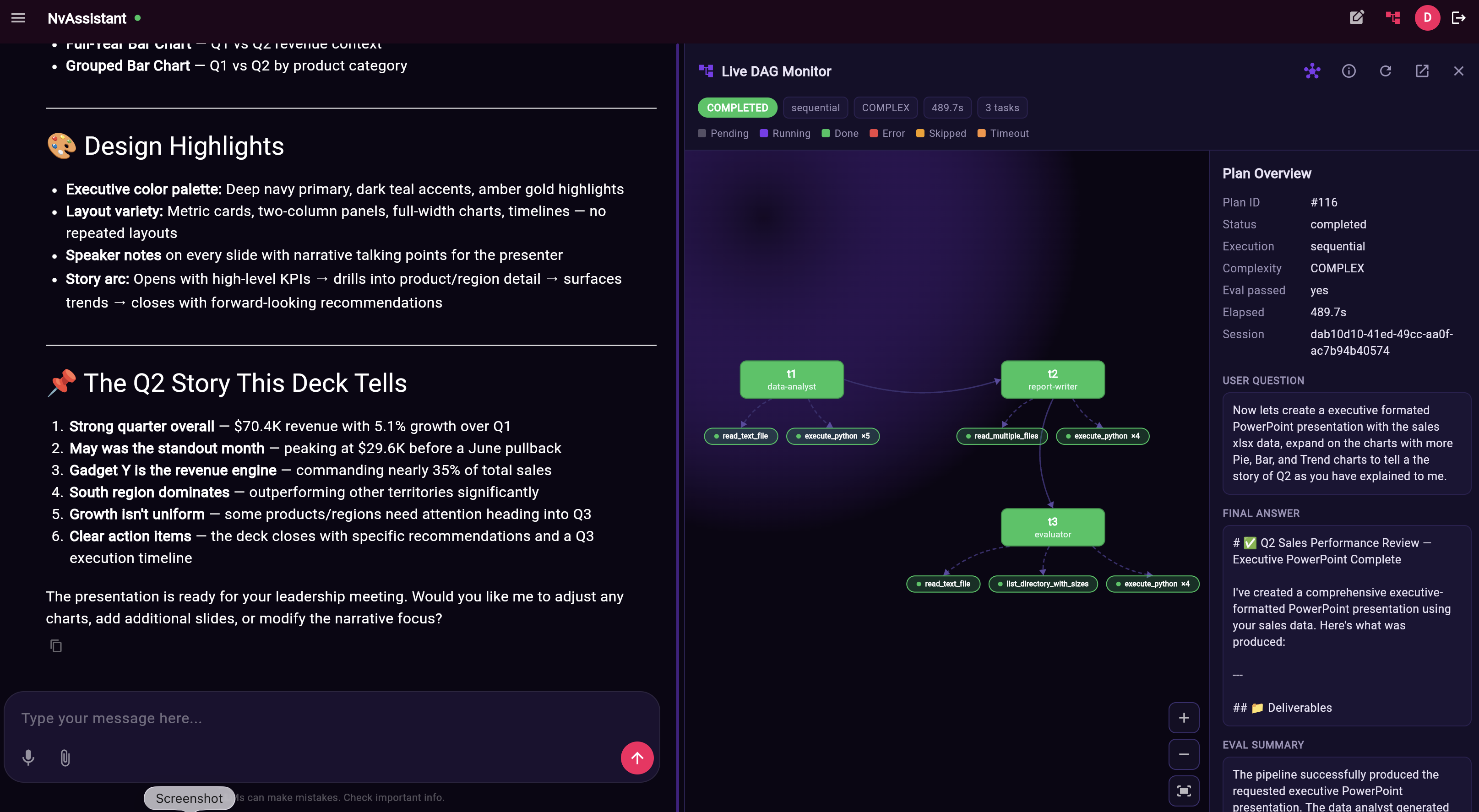
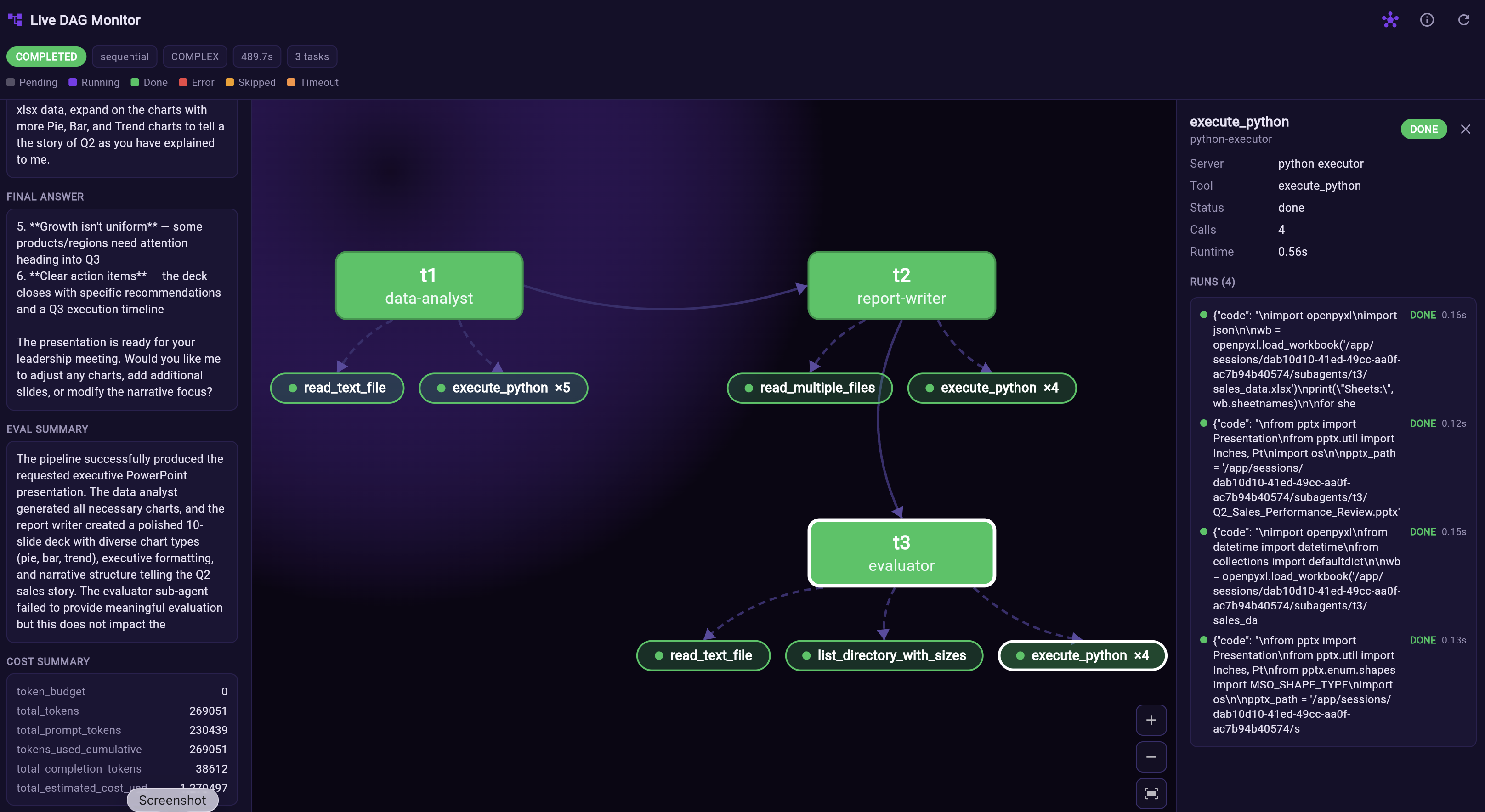
A live, in-app view of the orchestrator's sub-agent execution graph — recoloring nodes as they run (pending → running → done / error / timeout) and auto-packing tasks into a space-filling grid.
Tools & skills as pills
Each task fans its MCP tool calls (a dot) and activated skills (a ✦ spark) beneath it — click for server · tool, status, count, runtime & a run log.
Router-aware
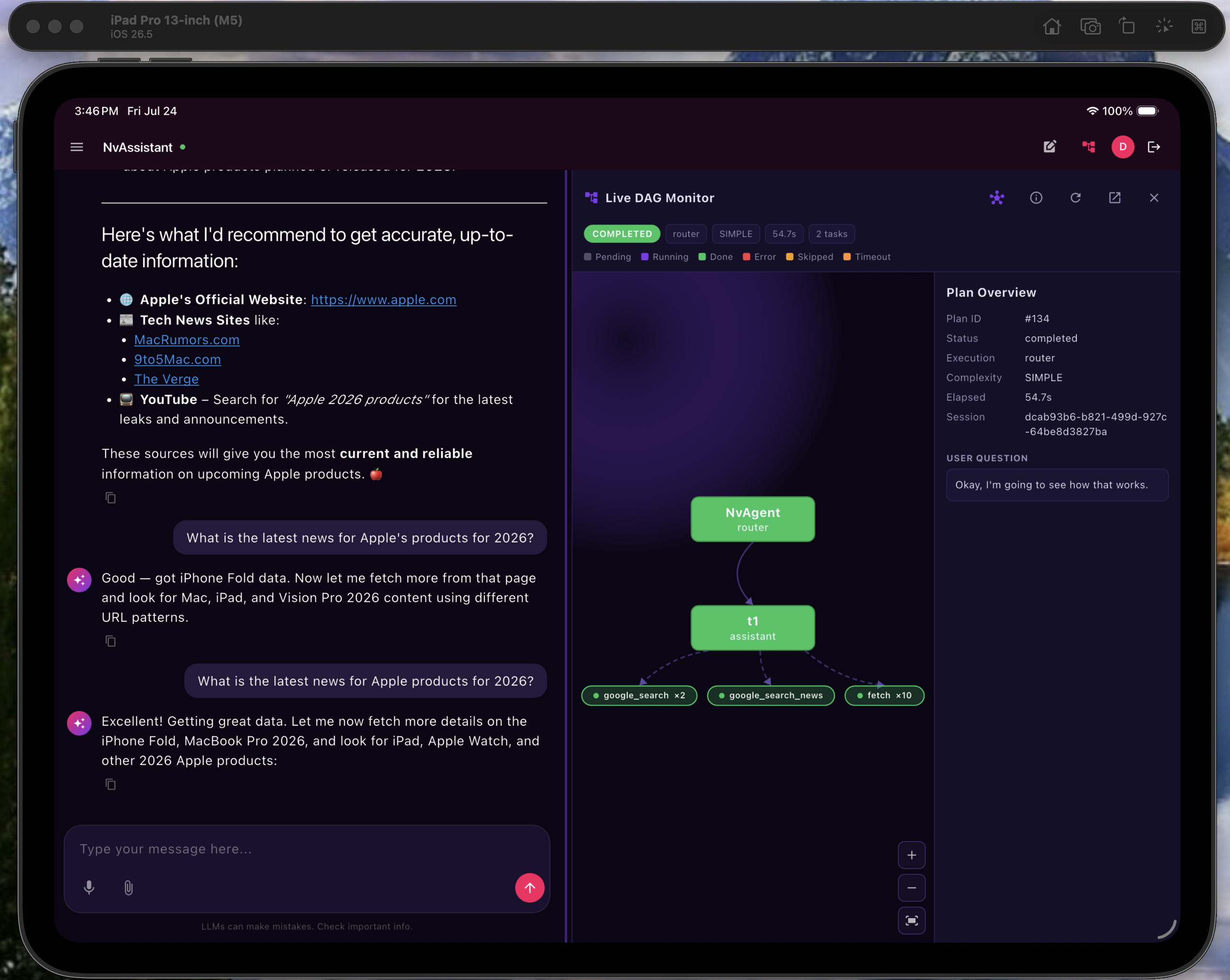
Router-mode turns render an explicit NvAgent → agent node, so a single-agent turn reads as clearly as a multi-agent one.
Scoped & poppable
Scoped to the conversation in view — two devices track independently — with a pop-out to a new tab or full-screen route.
Responsive by Design
Chat and the DAG monitor sit side-by-side on wide screens (web, iPad); a phone gets a focused chat-only view; a narrow non-phone window stacks them.
History, Files & Model Routing
History & Resume
NvAgent is the system of record. A searchable drawer lists past threads; opening one rehydrates the session so the next turn continues with full context — across devices.
Attachments & Generated Files
Upload CSV, XLSX, PDF, DOCX, images & text into a turn; agent-produced output files stream back as inline previews and download links.
Pluggable Model Routing
Swap backends behind one Gateway interface — NvAgent (full agentic reasoning), Ollama (local models), or Langflow (flows). The app is identical either way.
Branding & Theming
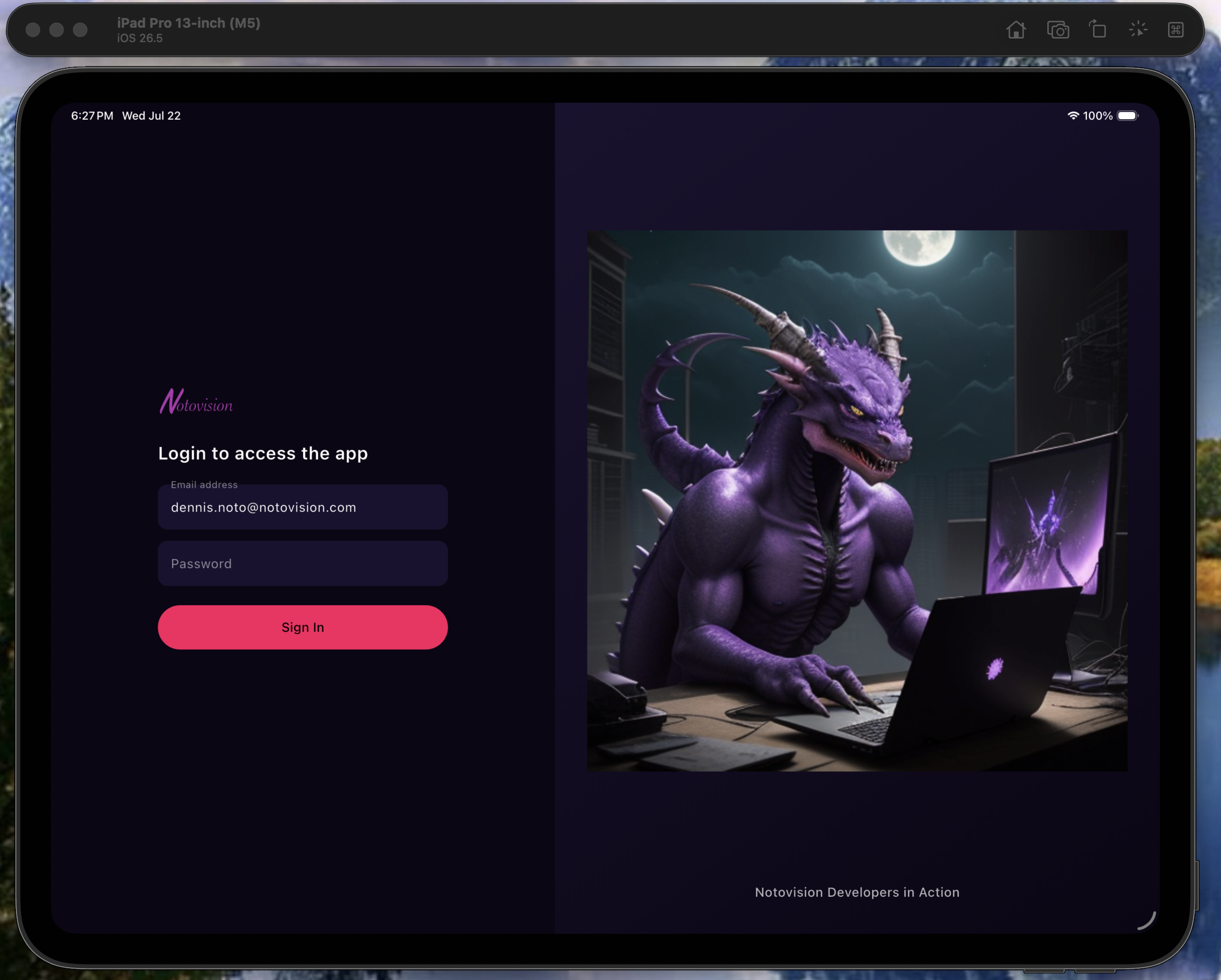
The NotoVision palette (magenta & purple), swappable at runtime — logo, login image & PWA icons — with no rebuild.
Authentication
JWT bearer auth today; Keycloak OIDC / PKCE SSO, MFA, roles & multi-tenancy on the Phase-2 path.
Long-Turn Resilience
Complex multi-sub-agent turns run with no wall-clock ceiling — kept alive by a server keepalive and client heartbeat.
Drive It with Slash Commands
Set thinking-channel verbosity, choose how many sentences are spoken per reply (0 mutes), or toggle the live DAG monitor — all without leaving the conversation.
Bring NvAssistant to
Your Enterprise
Voice-first AI, one Flutter codebase across every device, and a gateway you fully own. Let's talk about a pilot, a keynote, or a build.